Smart Temperature Hacks to Make Every Guest Feel Welcome
I’ve hosted plenty of gatherings over the years, and one thing I’ve learned is that nothing can make or break a guest’s comfort faster than the temperature of your home. Too cold, and people are fidgeting under blankets; too warm, and the room feels stuffy before dinner is even served. That’s why getting your thermostat just right isn’t about following some generic number—it’s about understanding your guests, the season, and even how busy your kitchen gets.
In this article, I’m going to walk you through the ideal temperature ranges for different seasons, guest types, and situations, along with practical tips that go beyond just setting the dial. By the end, you’ll feel confident that your home will feel cozy, welcoming, and perfectly balanced, without wasting energy or leaving anyone shivering. While getting the temperature just right matters, clearing clutter from your coffee table can instantly make your living room feel more inviting for guests.
What “Ideal Temperature for Guests” Really Means
When I first started hosting, I used to think there was one perfect number on the thermostat that would keep everyone happy. But I quickly realized that “ideal” isn’t a fixed number—it’s a range that changes depending on a few things. For example, the same temperature can feel cozy to someone wearing a sweater but chilly to someone in lighter clothing. Activity levels matter too: if you’re cooking a big meal or hosting a lively game night, your guests will generate heat, and the room can feel warmer than the thermostat says.
Here’s what I pay attention to when thinking about comfort:
- Clothing and personal preference: Some people naturally feel colder or warmer.
- Activity level: Guests moving around or in a hot kitchen may want cooler settings.
- Acclimation: People coming from outdoors may need a few minutes to adjust.
- Crowd size: More bodies in the room increases the temperature.
Understanding this helps you avoid guessing and gives you control over a comfortable environment that feels natural, not forced. For reference, studies on thermal comfort show that most people feel comfortable around 22–23°C (72–73°F), which is a helpful guideline for planning your settings.
Seasonal Temperature Targets

Knowing the “ideal” range is one thing, but applying it seasonally makes a huge difference. Over the years, I’ve learned that adjusting by season—and sometimes by time of day—keeps both comfort and energy use in check.
Winter Comfort Range
Winter hosting always seems tricky: you want the house warm, but cranking up the heat isn’t always energy‑friendly. Based on what I’ve tested and what Better Homes & Gardens recommends, I aim for:
- Daytime: 68–72°F (20–22°C)
- Nighttime or sleeping areas: 62–66°F (17–19°C)
I also adjust if we’re cooking a big dinner or have a full house—ovens and extra bodies naturally warm the room.
A few tips I rely on:
- Layered solutions: Keep blankets or space heaters handy instead of over‑heating the whole house.
- Check moisture: Very low temps can make the air dry and uncomfortable.
- Zoning rooms: If you have thermostats in multiple zones, focus heat where people are.
Summer Cooling Range
Summer has its own challenges. I’ve noticed guests often feel hotter than the thermostat indicates because the room is full of activity and body heat adds up quickly. Aiming for the right range keeps everyone comfortable without blasting the AC. I typically set:
- Daytime: 72–76°F (22–24°C)
- Nighttime: 68–72°F (20–22°C)
Here’s what I focus on during summer hosting:
- Humidity control: Fans or AC humidity settings make a huge difference in perceived comfort.
- Guest activity: Cooking and games generate heat; sometimes I keep a fan nearby for airflow.
- Air circulation: I check vents and ceiling fans to ensure cool air reaches all corners.
Using these ranges seasonally has saved me from complaints while keeping energy bills reasonable. Over time, I’ve learned that small adjustments and observing your guests’ reactions matter more than sticking rigidly to a number.
Short Visits vs. Overnight Guests
I’ve noticed that how I set the thermostat really depends on how long guests are staying. For a quick holiday dinner or a few hours of visiting, I don’t need to maintain the same level of precise comfort as I would for an overnight guest. In fact, cranking the heat or AC for a short visit can be overkill—and waste energy.
Here’s how I handle it:
- Short visits: I set the room to a comfortable mid-range, usually around 70–72°F. It’s enough for guests to feel cozy without waiting for the house to warm or cool completely.
- Overnight stays: I lower or raise the thermostat slightly at night (62–66°F in winter, 68–72°F in summer) to support good sleep. I’ve learned that slight shifts are usually unnoticed if I provide extra blankets or fans.
- Guest communication: I often ask if anyone has specific temperature preferences before they arrive. A simple questionnaire or quick chat saves me from guesswork and keeps everyone comfortable. To make overnight stays truly comfortable, I also make sure the guest bedroom and bathroom have all the essentials that make someone feel cared for.
This approach keeps energy use reasonable while showing guests I care about their comfort.
Thermostat Strategy for Different Guest Types
Not all guests feel the same at the same temperature. Over the years, I’ve adjusted my settings based on who’s visiting—something many articles skip entirely. Here’s how I think about it:
Elderly or Sensitive Guests
- I tend to keep winters a bit warmer and summers slightly cooler.
- Gentle adjustments and avoiding sudden temp swings make a big difference for comfort and health.
Kids & Family Gatherings
- Kids are usually running around, so I rely on moderate, consistent airflow rather than extreme heat or AC.
- I make sure rooms aren’t stuffy, which helps everyone feel more relaxed.
Airbnb or Vacation Rental Guests
- For rentals, I’ve found using smart thermostats with preset modes works wonders. It prevents guests from setting the temperature too high or low and keeps complaints minimal.
- Lock options or guided instructions ensure that the comfort range stays reasonable while still feeling flexible for guests.
- For example, Hospitable.com recommends using preset modes so guests feel in control but energy use stays efficient.
By tailoring your thermostat strategy to the type of guest, you can make your home feel thoughtfully prepared and welcoming without constantly adjusting the temperature yourself.
How to Balance Comfort with Energy Efficiency

Over the years, I’ve realized that keeping guests comfortable doesn’t have to mean sky-high energy bills. The trick is thinking ahead and using technology wisely. Smart thermostats are a game-changer—they let you schedule temperature changes so your home is ready when guests arrive but isn’t wasting energy when rooms are empty.
Here’s what I focus on:
- Smart scheduling: I program the thermostat to gradually adjust an hour before guests arrive so the room feels perfect without blasting heat or AC all day.
- Occupied vs. unoccupied: I make sure unoccupied rooms are a few degrees cooler or warmer, depending on the season, then return to comfort levels when guests are present.
- Avoid big swings: Sudden temperature jumps at peak hours not only waste energy but can make rooms feel uneven.
- Small shifts save money: Even 1–2°F adjustments can have a measurable impact on energy bills, a principle supported by DOE seasonal adjustment guidance.
For hosts like me, using preset modes and thoughtful scheduling is a simple way to keep everyone happy while keeping energy use under control. You can find practical strategies for vacation rental energy savings at STR Specialist.
Practical Comfort Enhancers Beyond the Thermostat
I’ve found that thermostat settings are only part of the comfort equation. Little tweaks around the house can make a big difference without touching the dial.
- Ceiling fans and airflow: Even a small fan can help circulate air and prevent hot or cold spots.
- Zoning rooms: Heat or cool only the spaces guests are using—living rooms, guest bedrooms—so the environment feels intentional.
- Portable solutions: Keep blankets, space heaters, or small fans handy so guests can adjust their immediate comfort.
- Humidity and ventilation: Humidifiers in winter or dehumidifiers in summer help the air feel more comfortable. Position vents and air purifiers thoughtfully to avoid stuffiness. And while you’re enhancing comfort, make sure to check these overlooked home spots you must clean before guests arrive—small touches that can make a big impression.
By layering these strategies, you can fine-tune comfort for each guest, making your home feel cozy and welcoming without constantly fiddling with the thermostat.
Common Hosting Thermostat Mistakes to Avoid
Even with the perfect temperature in mind, I’ve seen hosts—and been guilty myself—make mistakes that hurt both comfort and energy efficiency. Here’s what to watch for:
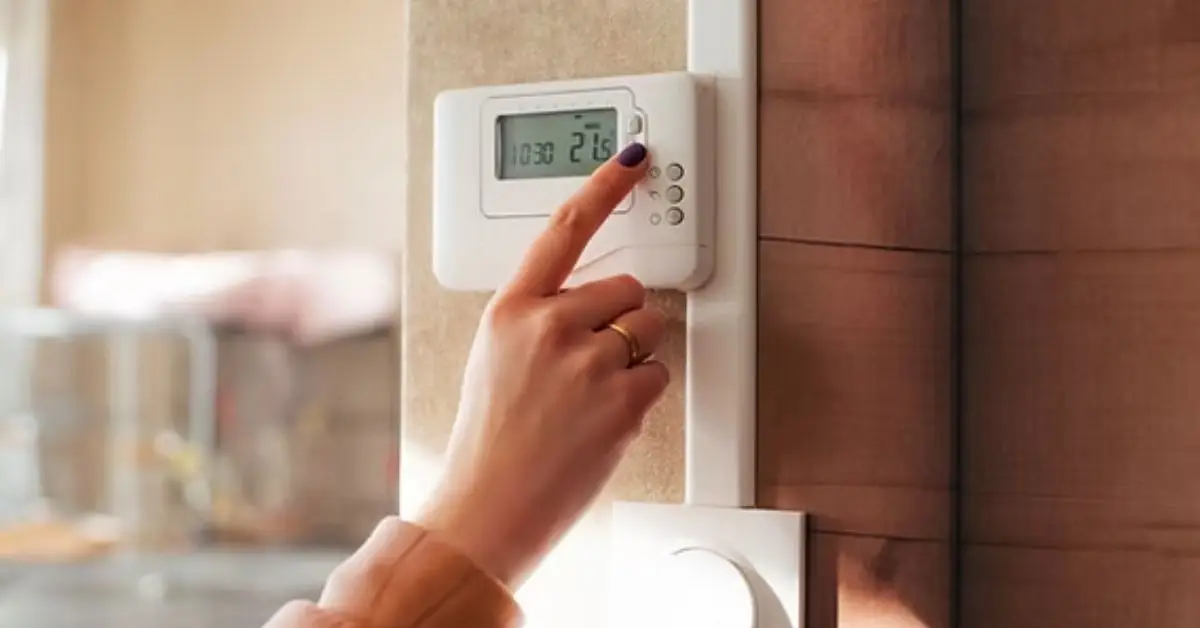
- Constant thermostat toggling: Flipping the temperature up and down drives energy use and can make rooms feel uneven.
- Leaving windows open: I’ve seen rooms get stuffy or hot because people forgot to close windows while the heat or AC is running.
- Over-locking or under-locking thermostats: Too much restriction frustrates guests, while too little can result in complaints about comfort or higher energy bills.
Avoiding these common mistakes helps maintain a consistent, comfortable environment for everyone without unnecessary hassle.
Sample Thermostat Settings Cheat Sheet
Over the years, I’ve learned that a quick-reference table is the easiest way to keep your guests comfortable without overthinking every adjustment. Here’s a cheat sheet I use for most gatherings and stays:
| Season | Time | Guest Type | Suggested Temp (°F) |
|---|---|---|---|
| Winter | Daytime | Short visits | 70–72 |
| Winter | Night | Overnight guests | 62–66 |
| Winter | Daytime | Elderly/Sensitive | 70–72 |
| Winter | Night | Elderly/Sensitive | 64–66 |
| Summer | Daytime | Short visits | 74–76 |
| Summer | Night | Overnight guests | 68–72 |
| Summer | Daytime | Kids/Family | 72–74 |
| Summer | Night | Airbnb/Vacation Rental | 68–72 |
Quick takeaways I follow:
- Adjust slightly depending on room activity or crowd size.
- Layer in blankets, fans, or portable heaters instead of relying on extreme thermostat changes.
- Keep communication open—sometimes a small personal tweak makes a big difference.
Closing Notes
Temperature isn’t just about numbers—it’s about making people feel welcome. I always make it a point to:
- Ask preferences early: A quick question before guests arrive saves confusion and discomfort.
- Leave simple instructions: Whether it’s a note in the guest room or a smart thermostat guide, clear guidance prevents unnecessary thermostat battles.
- Explain the logic: Sharing why you’ve set temperatures a certain way helps guests understand and trust your choices.
By focusing on communication, you’re not just controlling a thermostat—you’re creating a warm, thoughtful experience.
I’d love to hear from you: What’s your go-to temperature for keeping guests cozy? Share your tips in the comments below, or visit Build Like New to check out more practical hosting and home comfort strategies that actually work.
Disclaimer: The temperature ranges and tips in this article are general recommendations for comfort and energy efficiency. Individual preferences, health conditions, and home setups may vary. Always adjust settings to suit your guests and follow safety guidelines for heating and cooling devices.