
5 Bedroom Appliances That Could Be Dangerous If Left Plugged In
When I first started thinking about all the gadgets and appliances in my bedroom, I was shocked to realize how many of them stay plugged in 24/7, quietly sipping electricity even when I’m not using them. You might not notice it, but those “innocent” chargers, lamps, and fans are costing you more than just a few cents—they can drive up your electric bill, shorten the life of your devices, and, in some cases, even create a fire risk.
I’ve spent years reading expert advice, safety reports, and energy studies, and one thing keeps coming up: unplugging certain bedroom appliances isn’t just a small tip—it’s a simple habit that saves money, keeps your home safer, and even reduces your environmental footprint. In this article, I’m going to walk you through the five bedroom appliances I always unplug after every use, explain why it matters, and share practical tips you can start using tonight.
By the time you finish reading, you’ll know exactly which devices deserve your attention and how a few small habits can make a big difference—without turning your bedroom into a tangle of cords.
How to Identify Bedroom Appliances That Should Be Unplugged
Before I list the specific appliances I always unplug, it helps to know how to spot which devices really matter. Not every plug in your bedroom needs attention, but some clear signs make it worth the effort.
Here’s what I look for:
- High Power Draw – Appliances like space heaters or large fans consume a lot of electricity while running, and even in standby mode, some still pull small amounts of power over time.
- Potential Fire Risk – Devices that produce heat or use water—like heaters, humidifiers, or diffusers—can be dangerous if left plugged in unattended.
- Constant Standby Mode – Many electronics, from alarm clocks to smart lamps, continue drawing energy even when “off.” A blinking LED is often a giveaway that power is still being used.
Common bedroom appliances that fit these categories include:
- Space heaters
- Desk or tower fans
- Phone and laptop chargers
- Alarm clocks
- Humidifiers or essential oil diffusers
- Table or bedside lamps
To understand exactly how much energy a device draws while idle, you can use simple plug-in energy monitors. They measure phantom energy consumption and help you see which devices are quietly adding to your electricity bill. For example, Energy.gov offers guidance on how to track and reduce standby energy use in your home.
By keeping these indicators in mind, unplugging becomes a smart habit—saving money, protecting your devices, and reducing risk. Once you notice which appliances sneakily consume energy, you’ll start unplugging almost automatically.
Top 5 Bedroom Appliances to Always Unplug

Once you figure out what makes a device worth unplugging, here are the five bedroom‑gear items I never leave plugged in — and why you might want to treat them the same way.
1. Space Heaters
- Fire risk: Space heaters are among the top causes of house fires — about 10,000 home fires a year are linked to misused heaters.
- Energy & waste: Even when you’re not using them, many heaters with timers or digital controls still draw small amounts of electricity if left plugged in.
- My tip: Unplug immediately after use, and never plug a heater into an extension cord or surge protector — that increases fire risk.
2. Electric Fans / Tower Fans
- Phantom draw: Fans may draw a small current even when switched off (standby mode), adding up slowly over time.
- Safety concern: If there’s a storm or power fluctuation — unplugging avoids risk of short‑circuits or surge damage.
- My tip: If you don’t plan to use the fan soon, unplug it. Or plug it into a smart power strip so you can cut power when not needed.
3. Phone Chargers & Laptop Adapters
- Hidden energy use: As noted in Real Simple’s guide on appliances to unplug, “energy vampires” — plugged‑in items not in use — make up about 23% of a home’s electricity use.
- Wear and safety: Chargers left plugged in unnecessarily may overheat or degrade over time — especially generic or off‑brand ones.
- My tip: Unplug chargers as soon as your device finishes charging. If you have several, try creating a dedicated charging station so you can switch them off together.
4. Humidifiers & Diffusers
- Water + electricity = risk: Since these devices often involve water, leaving them plugged in — even when off — can pose a hazard if there’s a leak or malfunction.
- Standby consumption: Many humidifiers/diffusers keep drawing small power in standby, which slowly adds to your bill.
- My tip: Only plug them in when you need them. After use, empty and dry water tanks — then unplug immediately.
5. Table / Bedside Lamps
- Small draws add up: Even when “off,” smart lamps or those with USB ports often continue to draw power via standby mode.
- Convenience + safety tip: Plug lamps into a switched power strip. That way a single flick kills electricity to the lamp without messing with the socket.
- My tip: Especially at night, I switch off the power strip — that cuts all standby power and gives peace of mind.
If you want a broader list of devices that could pose serious fire risks when left plugged in, check out our guide on 4 appliances you must unplug after every use or risk a fire.
Hidden Dangers of Leaving Appliances Plugged In
I used to think leaving my devices plugged in when not in use was harmless. Then I started noticing frayed cords and overheated plugs, and it hit me: this is a real risk.
- Electrical Surges: Power spikes from storms or faulty wiring can damage devices left plugged in. I once saw a surge fry a laptop charger — the cost was minor, but the lesson stuck.
- Fire Hazards from Frayed Cords: Over time, cords wear down, and a plugged-in device can ignite a fire if left unattended. Small things like bedside lamps or fans are not immune.
- Health & Safety Concerns: Some plastics on appliances can release toxic fumes if they overheat, especially older devices. Even a small LED light or diffuser can get dangerously warm if left plugged in.
Taking these hazards seriously isn’t about fear — it’s about protecting your home and yourself. Unplugging is a simple habit that removes multiple risks at once. To avoid overloading circuits and reduce the risk of electrical hazards, you should also be mindful of which appliances you run simultaneously — here’s a helpful guide on 5 appliances you should never run at the same time.
Practical Tips for Managing Plugged-In Appliances
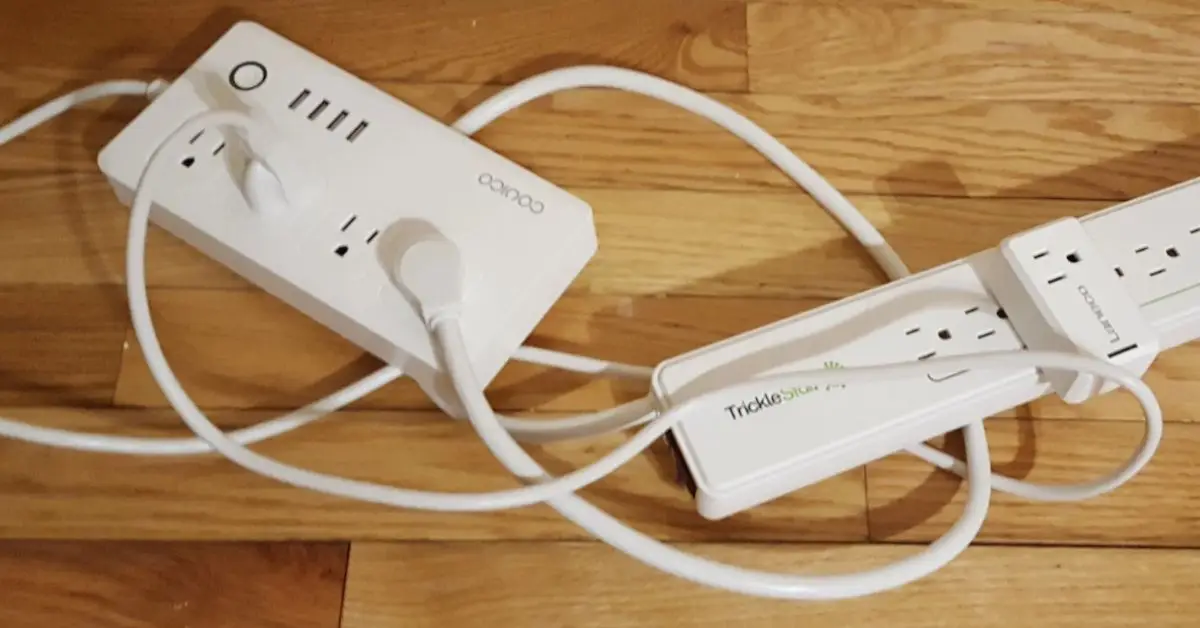
Unplugging everything individually can feel tedious, but there are smart ways to make it routine. I use a few tricks that really work:
- Smart Plugs & Power Strips: These let me disconnect several devices with a single switch. Some even let me schedule power on/off automatically.
- Create a Bedtime Checklist: I go around my bedroom before sleeping and unplug the devices I’ve identified as energy vampires. It’s simple, takes less than a minute, and now it’s automatic.
- Social Media Hacks: Reddit and TikTok are full of creative ideas — like labeling cords or using color-coded strips — that make unplugging fast and even fun.
These tips turn a boring chore into a small routine that saves money and reduces risk without any extra effort. Along with unplugging, following simple maintenance habits can dramatically extend the life of your devices — we cover 10 easy hacks in this guide: 10 easy maintenance hacks to double the life of your home appliances.
Energy Savings & Environmental Impact
Here’s the part that really hits home: unplugging isn’t just about safety — it has tangible financial and environmental benefits.
- Money Saved: According to Energy.gov, devices left plugged in unnecessarily can add $100–$200 per year to household electricity bills, depending on usage.
- Carbon Footprint Reduction: Every watt saved reduces demand on the grid, lowering greenhouse gas emissions. Small habits, like unplugging a fan or charger nightly, add up across millions of homes.
- Visual Insight: A chart comparing “appliances left plugged in vs unplugged” can make the savings and impact clear, showing readers the real-world difference of this simple habit.
Once you start seeing both the money and environmental benefits, unplugging becomes more than a safety measure — it’s a smart, responsible lifestyle choice.
Quick Recap & Action Checklist
Let’s quickly sum up the five bedroom appliances I always unplug:
- Space Heaters – unplug immediately after use to prevent fires.
- Electric Fans / Tower Fans – cut standby energy draw and avoid hazards.
- Phone Chargers & Laptop Adapters – unplug once your devices are fully charged.
- Humidifiers & Diffusers – only plug in when actively using, then unplug.
- Table / Bedside Lamps – use switchable power strips or unplug at night.
Action Checklist:
- Unplug high-power, heat-producing, or standby-drawing devices.
- Use smart plugs or power strips for convenience.
- Make unplugging part of your nightly routine.
I’d love to hear from you! Which of these appliances do you usually forget to unplug, or do you have your own tips to share? Drop a comment below — let’s swap ideas and make bedrooms safer and more energy-efficient together.
And if you want more practical home tips like this, check out Build Like New for easy, actionable guides that help you save money, energy, and stress around your home.
Disclaimer: The tips in this article are for informational purposes only. Always follow manufacturer instructions and local safety regulations when using or unplugging electrical appliances. Build Like New is not responsible for any damage or accidents resulting from appliance use.