Everything You Must Know Before Setting Up a Home Security System
I know how overwhelming it can feel when you start thinking about home security. There are alarms, cameras, smart locks, sensors—and a ton of advice online that sometimes contradicts itself. I’ve been helping homeowners navigate these choices for years, and I’ve learned one thing: the best security system isn’t always the most expensive or tech-heavy. It’s the one that actually fits your home, your lifestyle, and your peace of mind.
Before you spend a single dollar, you need to understand what your home really needs. Not every system works the same for every house. For example, a large suburban home with multiple entry points faces very different risks than a small apartment in the city. I’ll show you how to think like a burglar—not in a creepy way, but in a practical sense—so you can protect the spots that matter most.
By the end of this guide, you’ll know how to evaluate your vulnerabilities, choose the right system for your home, and avoid common mistakes that leave most homeowners feeling secure only on paper. I want you to feel confident in your choices, not confused by the endless options.
Now, let’s start by understanding why a home security system matters more today than ever.
Why Home Security Systems Matter Today?
You might think, “My neighborhood is safe—I don’t need a security system.” I’ve heard that from plenty of homeowners. But the truth is, burglaries and break-ins are on the rise in nearly every area, not just the big cities. Even homes that look quiet or well-protected can be targets because opportunistic thieves look for easy access points. Knowing this isn’t meant to scare you—it’s meant to help you take control of your home’s safety.
Another risk many people overlook is the technology we bring into our homes. Smart cameras, smart locks, and voice-controlled assistants are convenient, but if they’re not secured properly, they can be hacked. I often tell homeowners: a system is only as safe as its weakest point. Updating firmware, using strong passwords, and setting up two-factor authentication are simple steps that make a huge difference in protecting your family and your property.
Finally, having a security system isn’t just about keeping intruders out. It can also impact your insurance rates and provide real peace of mind. Knowing that someone—or some smart system—is monitoring your home 24/7 lets you sleep better at night. I promise, once you experience that calm, you’ll realize why investing in security isn’t just optional—it’s essential.
If you want a clearer picture of how modern systems actually stop intruders and emergencies before they escalate, you can also check my breakdown on 6 ways home security systems prevent break-ins and emergencies—it’ll give you a practical sense of what works in real situations.
Understand Your Home’s Vulnerabilities First (Before Buying Anything)
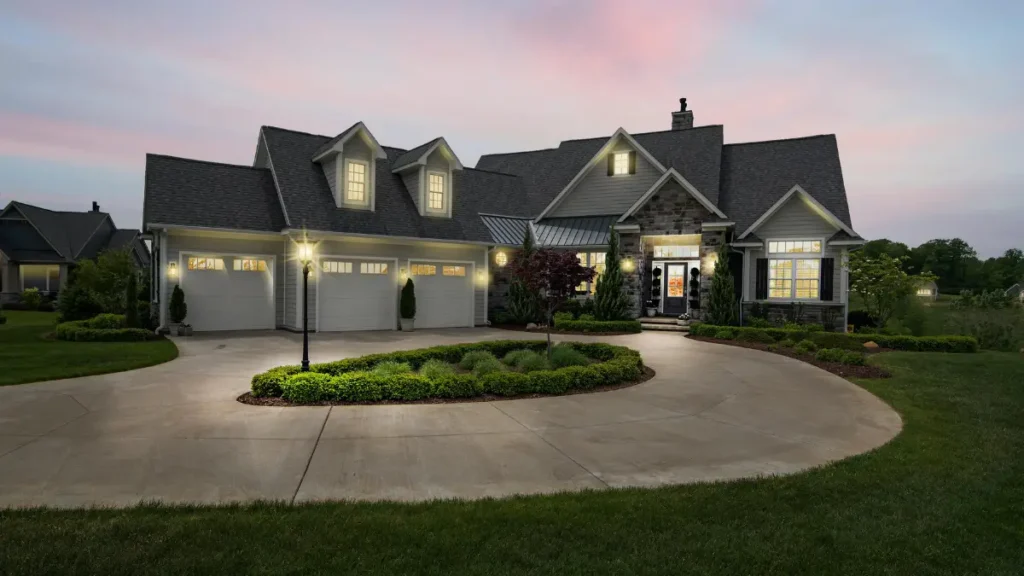
Before you start picking cameras or alarms, I want you to take a step back and look at your home critically. Most people skip this step, but assessing vulnerabilities first will save you money and headaches later. You can’t protect what you haven’t identified.
Entry Points & Risk Zones
Doors, windows, and garages are the most common ways intruders get in. I always ask homeowners to walk around their property and imagine someone trying to enter unnoticed. Are the side doors hidden from view? Is the garage door old or easily forced open? Identifying these weak spots will help you prioritize where sensors and cameras should go.
According to Security.org, over 30% of break-ins happen through the front door—but the rest often exploit overlooked entry points like back doors or ground-floor windows.
Think Like a Burglar for Better Planning
Here’s a tip many people ignore: think like a burglar. I’m not kidding. Walk your home at night, imagine someone trying to sneak in. Where would they go first? Where might they be blocked? This exercise helps you figure out the best placement for sensors, cameras, and lights.
It also forces you to consider layers of protection, rather than relying on just one alarm or device. The more you anticipate, the less likely you’ll leave gaps—something even experienced homeowners forget, according to Security.org.
Types of Home Security Systems Explained
When it comes to home security, one size definitely does not fit all. I’ve helped homeowners who thought buying a camera alone would solve everything, only to realize later that they missed crucial gaps.
The key is to understand the different types of systems available so you can choose one that fits your home, your budget, and your comfort level with technology. Let me break it down for you.
Basic Alarm Systems
If you’re looking for simple, budget-friendly protection, a basic alarm system might be all you need. These systems usually include:
- Door and window sensors – alert you when an entry point is opened
- Siren alarms – loud enough to scare off intruders
- Optional motion sensors – for areas like hallways or entryways
I like to tell homeowners that basic systems are perfect if your main concern is burglary and you want something straightforward. You don’t need a fancy app or smart cameras to feel safer. Reddit discussions often highlight how these systems can stop opportunistic break-ins before they even happen, without costing a fortune.
Wired vs Wireless Systems
This is where most people get confused. Here’s the simple truth:
- Wired systems
- Pros: Harder for intruders to tamper with, generally more reliable
- Cons: Installation can be invasive and expensive, not ideal if you rent
- Wireless systems
- Pros: Easy to install yourself, flexible placement, minimal home disruption
- Cons: Can be affected by Wi-Fi or battery issues, slightly less tamper-proof
I usually advise homeowners to ask themselves: Do you want a DIY-friendly system or one that’s more permanent and hands-off? Many Reddit users agree that wireless setups are perfect for renters or small homes, while wired systems shine in large houses or multi-story homes where reliability is key.
Smart Security & Connected Systems
If you enjoy tech and want more control, smart security systems are worth considering. These typically include:
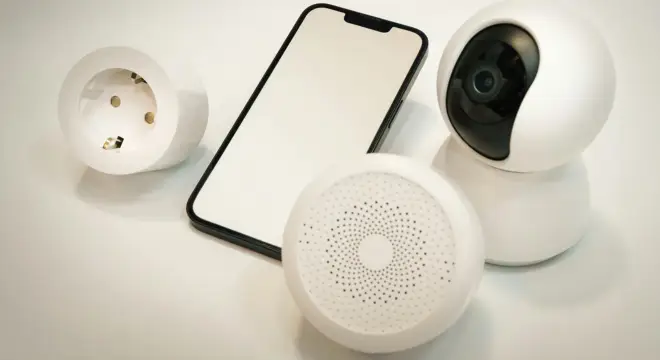
- Smart cameras – accessible via phone app, live monitoring
- Motion detectors – integrate with lights or alarms for instant alerts
- Smart locks – lock or unlock doors remotely, monitor access
- App notifications – real-time alerts for unusual activity
I often tell homeowners that connected systems are great because they let you monitor your home even when you’re on vacation. According to Housing.com, many people appreciate the convenience of automation combined with security, especially if they have kids or pets at home.
DIY vs Professional Installation
Finally, one of the biggest decisions you’ll make is whether to install the system yourself or hire a professional. Here’s my approach:
- DIY Installation
- Best if you’re tech-savvy, on a budget, or in a rental
- You control placement and setup entirely
- Less expensive upfront, but requires time and patience
- Professional Installation
- Ideal for wired systems or complex setups
- Guarantees correct placement and configuration
- Often comes with monitoring service, tech support, and insurance perks
I tell homeowners that there’s no shame in hiring a pro, especially if you want peace of mind. Money.com research shows that many people actually save money in the long run because professionals help prevent installation mistakes that could compromise security.
Placement & Setup Best Practices Every Homeowner Should Know
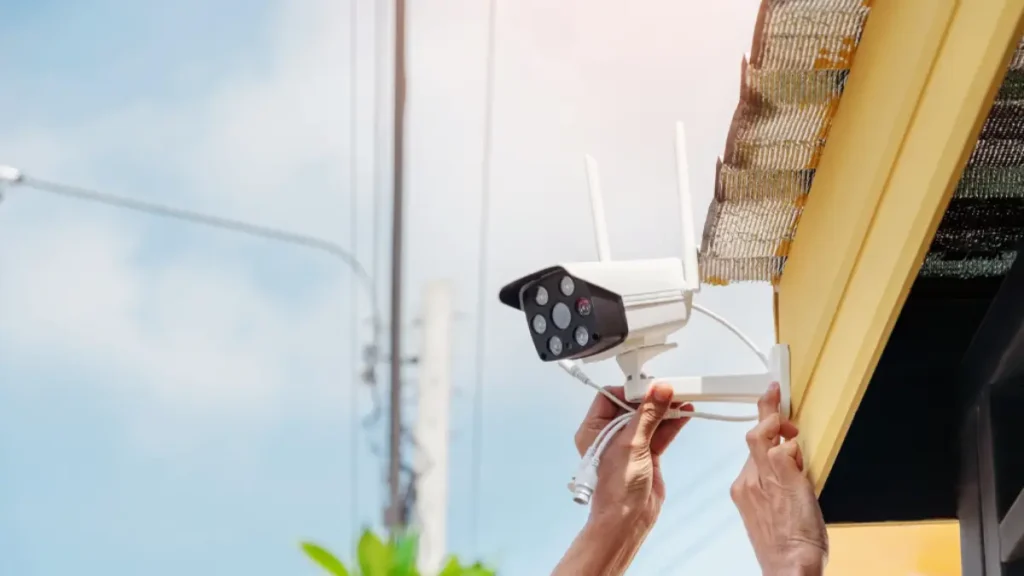
Even the best security system won’t protect you if it’s installed incorrectly. I’ve seen homeowners spend thousands on cameras and sensors, only to realize later that blind spots and poor placement made the system almost useless. Here’s how I guide homeowners to get the most out of their investment.
Strategic Device Placement
Where you put your devices can make or break your home security. Think about it like this: a camera pointed at a blank wall won’t help, and a motion sensor blocked by furniture won’t trigger when it should. Here’s what I recommend:
- Height matters – Cameras and sensors should be mounted high enough to avoid tampering but low enough to capture faces and movement
- Angles are key – Cover as many entry points as possible; think about doorways, hallways, and windows
- Avoid blind spots – Walk around your home at night and see where shadows or obstacles could hide movement
According to Securimax, taking time to plan device placement carefully reduces false alarms and ensures that your system actually works when you need it.
Integration with Smart Devices
If your home is connected—smart lights, locks, thermostats—your security system should work with them, not against them. I often show homeowners how syncing devices can create a safer environment:
- Automation alerts – Have lights turn on when motion is detected outside
- Remote monitoring – Check cameras or lock doors from your phone
- Centralized control – Keep everything in one app for simplicity
Integration doesn’t just make life easier—it ensures your system responds faster to potential threats. Connected systems make it easier to stay on top of alerts and manage your home even when you’re away.
Wi-Fi Strength & Cloud Backup
A smart system is only as reliable as your network. I tell homeowners to check their Wi-Fi signal in every corner where a device will be placed. Weak Wi-Fi means delayed notifications or missed alerts.
- Test Wi-Fi coverage before installation
- Consider cloud storage for cameras – don’t rely solely on local recording
- Regularly check device connectivity to avoid blind spots
Even a small lapse in network performance can leave your home vulnerable. Planning for backup and connectivity is a simple but often overlooked step that makes a huge difference.
Cybersecurity Basics for Smart Home Security Systems
Here’s something most guides skip: digital security. You can have the fanciest cameras, but if someone hacks your system, all your hard work is wasted. I always tell homeowners to treat smart home security like cybersecurity, because it really is.
- Strong, unique passwords – Don’t reuse the same password across multiple devices
- Two-factor authentication – Adds an extra layer of protection
- Firmware updates – Keep cameras, locks, and alarms up to date to patch vulnerabilities
- Secure your Wi-Fi network – Use WPA3 encryption if available
I’ve also seen people underestimate the value of planning alerts. According to Yellow Pages, keeping your system digitally secure is just as important as physical placement—so treat your apps and devices like another entry point to your home.
Taking these steps ensures that your security system protects you both physically and digitally. I can’t stress enough how often homeowners focus only on devices and forget about cybersecurity—it’s a gap that can make all your investment pointless.
Common Mistakes Homeowners Make (And How to Avoid Them)
Even after buying a security system, many homeowners leave themselves exposed because of small, avoidable mistakes. I’ve seen it happen so often—people spend hundreds or thousands, but the system fails to protect them. Let’s go through the pitfalls I always warn people about.
- Hiding keys in obvious places – Rocks, planters, or under mats are the first spots intruders check. I tell homeowners: either use a smart lock or give a trusted neighbor a key.
- Neglecting outdoor lighting – Dark corners make great hiding spots for burglars. Motion-activated lights aren’t just convenient—they’re a deterrent.
- Skipping routine maintenance – Sensors lose battery, cameras disconnect, or alarms stop working if you don’t test them regularly. I advise a monthly check to make sure everything functions as intended.
- Overlooking blind spots – Even with cameras, a poorly placed sensor can leave a hallway, window, or side entrance unprotected. Walk your property from a burglar’s perspective to see where gaps exist.
Making these mistakes is easy, but catching them early is simple if you know what to look for. The difference between feeling secure and being vulnerable often comes down to small details.
Key Components You Should Always Include
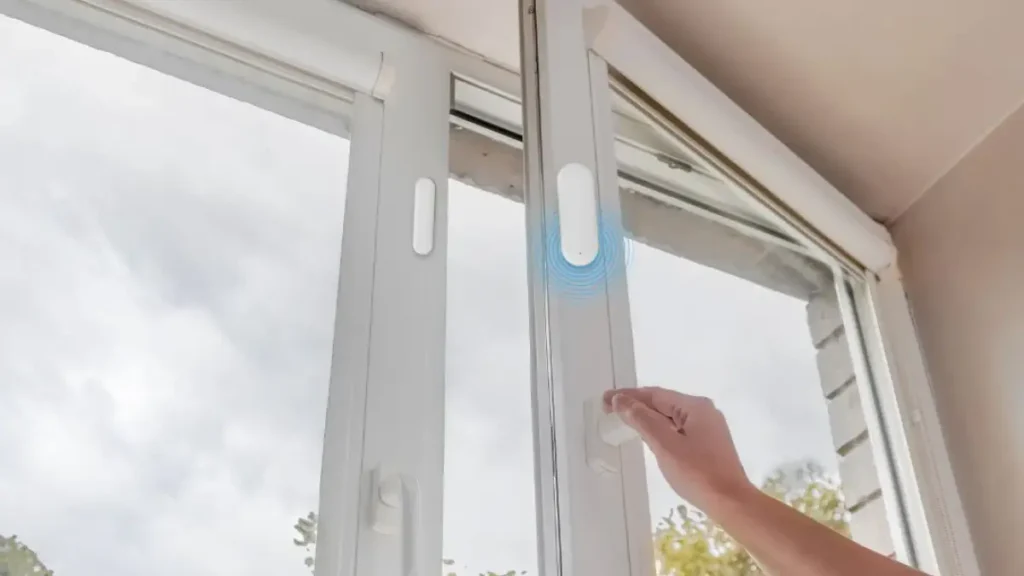
Now that we’ve covered mistakes, let’s focus on the essentials. A home security system isn’t just alarms and cameras—it’s about building layers of protection. Here’s what I make sure every homeowner includes:
- Door and Window Sensors – Your first line of defense. They alert you the moment someone tries to enter.
- Motion Detectors – Great for hallways, staircases, and rooms without windows. They catch movement you might not notice.
- Security Cameras & Video Doorbells – Not only do they help you monitor your home, but they also deter intruders just by being visible.
- Environmental Sensors – Smoke, carbon monoxide, or flood sensors protect your home from hazards beyond burglary.
- Central Control Hub or App – Keeps everything in one place for easy management, whether you’re at home or away.
I always tell homeowners that having these core components isn’t overkill—it’s smart layering. Each element covers a different risk, so your system doesn’t rely on just one type of protection. According to Yellow Pages, systems that integrate multiple components significantly reduce the chances of break-ins going unnoticed.
If you’re leaning toward a DIY setup, you’ll love how easily you can repurpose tools you already have—I even created a guide on turning an old smartphone into a functional security camera, and it’s surprisingly effective for basic monitoring.
Cost & Budget Considerations (What to Expect)
I know one of the first questions homeowners ask me is, “How much is this going to cost?” I get it—it’s a big investment, and you want to avoid surprises. The truth is, costs can vary widely depending on your home size, system complexity, and whether you choose DIY or professional installation. Here’s what I usually tell homeowners:
- Equipment costs – Basic systems start around $150–$300, while full smart systems with cameras and sensors can reach $1,000 or more.
- Monitoring fees – Professional monitoring usually costs $10–$50 per month, depending on the service level.
- DIY vs Professional installation – DIY systems save money upfront, but pro installation ensures proper setup, which can prevent costly mistakes later.
I always advise homeowners to make a checklist: what devices you need, whether you want automation, and how much ongoing monitoring you’re comfortable paying for. Having a clear budget in mind helps you focus on the system that actually works for your home, not just what looks fancy.
And if you’re working with a tight budget, I’ve also shared some smart low-tech strategies in this guide on simple security tricks when you can’t pay for a full system—you might find a few ideas that give you immediate protection without spending much.
Quick Comparison of Popular Smart Security Features
Sometimes the options can feel endless. I like to simplify it for homeowners by comparing the features that matter most. Here’s a quick breakdown:
- Motion Alerts – Instantly notifies you if something moves in a monitored area.
- Cloud Storage vs Local Storage – Cloud is convenient and safe if cameras are tampered with; local storage keeps footage offline.
- Professional Response – Some systems alert local authorities automatically, others rely on you.
- Smart Integration – Ability to connect with lights, locks, or thermostats for a complete automated setup.
Creating a small table or checklist for your home can help you visualize what features are must-haves and what’s optional. I often tell homeowners: don’t get distracted by bells and whistles. Focus on the features that address your home’s specific vulnerabilities.
Bonus: What Homeowners on Social Platforms Say
Sometimes the best advice doesn’t come from experts—it comes from people like you who’ve lived it. I always check social platforms like Reddit and community forums to see what homeowners actually experience with security systems.
Here’s what I’ve noticed:
- DIY systems work, but placement matters – Many homeowners report that even the best wireless cameras fail when installed in the wrong spot.
- Wireless alerts are a game-changer – People love getting instant notifications on their phone. It gives peace of mind even when they’re at work or traveling.
- Upgrades are common – After a year, homeowners often add sensors or smart locks once they understand their vulnerabilities.
I like to share these insights because it sets realistic expectations. Your first system might not be perfect, and that’s okay. What matters is learning from experience and tweaking your setup until it feels right.
By the way, if you like staying updated with quick security insights the way many homeowners do, you can follow similar bite-sized updates directly on WhatsApp, where I regularly share practical home-safety tips that help you stay ahead without feeling overwhelmed.
Why Your Next Step Matters?
I know you want to feel safe and confident in your choices. Here’s how I suggest you take action after reading this guide:
- Audit your home – Walk around with a critical eye. Identify doors, windows, and blind spots.
- List your essential features – Decide what’s non-negotiable for your family and lifestyle.
- Compare quotes – Whether DIY or professional, check pricing, monitoring options, and reviews.
- Choose a system that fits you – Don’t just buy the most expensive or trendy one. Pick the one that addresses your home’s real risks.
And here’s my question for you: after reviewing your home’s vulnerabilities, which area do you think is the most at risk? Start there—it’s the simplest way to make an immediate impact on your home’s safety.
And if you want ongoing tips, real homeowner experiences, and updates that help you secure your home smarter, feel free to follow us on X or join our growing community on Facebook—you’ll always find something useful there.
Disclaimer: This article is for informational purposes only and does not replace professional advice. Always consult a certified security expert before making major decisions for your home. Individual results may vary based on home layout, location, and system choice.